eBay Item Condition: How to Pick the Right Grade and Describe Wear
How eBay item condition works: why the options change by category, what Used, Open box and For parts mean, and how to describe wear buyers can trust.
By HolgoPublished Updated
Condition is one dropdown on the eBay listing form, and it is the one buyers hold you to. A jacket listed as excellent that arrives with a pulled thread, or a console listed as used that will not hold a charge, is the kind of mismatch that ends in a return.
The tricky part is that the dropdown is not the same everywhere. This guide covers how eBay's condition options work, what the most-used grades actually mean, and how to describe wear so the buyer gets exactly what they expected.
The options depend on the category
eBay's item condition by category page says it directly: the listing form offers a set of preset condition options, and which ones you see depend on the category you list in. eBay also notes that selecting the correct condition is part of following its selling practices policy, so this is not a cosmetic choice.
A few examples of how different the lists are:
| Category | Condition options |
|---|---|
| Electronics, cameras, phones, computers, consoles | New, Open box, the refurbished grades, Seller refurbished, Used, For parts or not working |
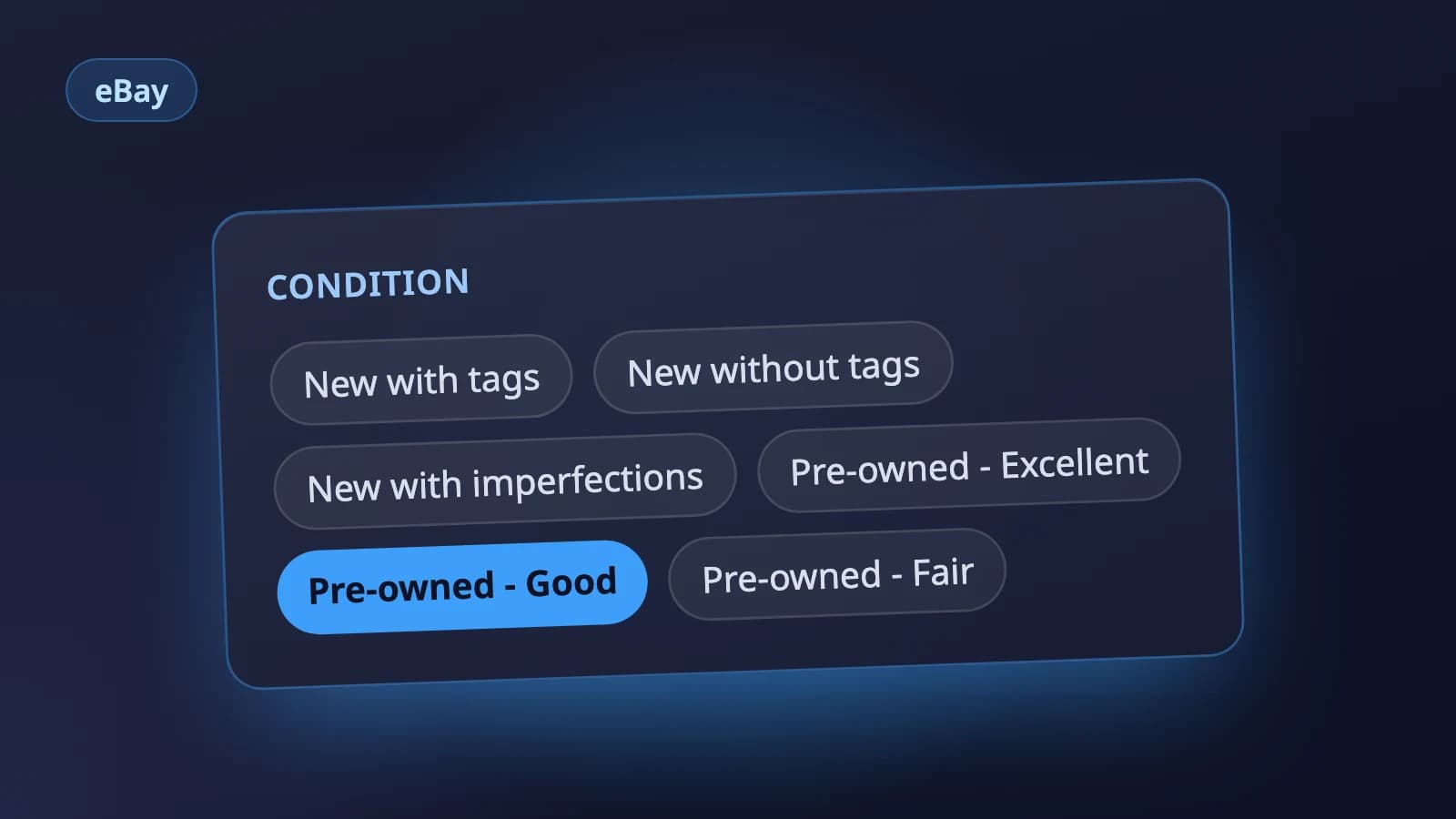
| Clothing | New with tags, New without tags, New with imperfections, Pre-owned - Excellent, Pre-owned - Good, Pre-owned - Fair |
| Books | Brand new, Like new, Very good, Good, Acceptable |
| Trading cards | Graded, Ungraded |
That is why the category comes first. Pick it, then look at the condition list it gives you. If you change the category later, check the condition again: the grade you chose may not exist in the new one. Our guide to eBay item specifics covers the same effect on the rest of the form.
What the common grades mean
Each grade has a written definition on eBay's page, and the definition is what the buyer is entitled to expect. The ones sellers pick most often:
- Open box (electronics). Excellent, new condition with no wear. It may be missing the original packaging or protective wrapping, or be in the original packaging but unsealed, and it includes the original accessories. Something you opened and tried once fits here; something you used for a month does not.
- Used (electronics). Previously used and may show cosmetic wear, but fully operational and working as intended. A console whose stick drifts is not Used.
- For parts or not working. Does not work as intended, needs service or repair, or is missing essential components. This is the honest home for the drifting controller, the camera with a stuck lens, or the laptop with no charger and no way to test it.
- The refurbished grades. Certified, Excellent, Very Good and Good - Refurbished are limited to some marketplaces and categories, and eBay's condition reference says sellers must apply and qualify before they can use them. Cleaning an item yourself does not make it refurbished.
Clothing: the three pre-owned grades
Clothing replaces the single Used option with three grades:
- Pre-owned - Excellent: worn before, but in excellent condition.
- Pre-owned - Good: gently used, may have a few signs of wear.
- Pre-owned - Fair: significantly visible imperfections and signs of wear.
For all three, eBay says imperfections should be shown and described in the listing.
The rule we have used selling clothes on eBay since 2012: if a flaw needs its own photo or its own sentence, the item is not Excellent.
- Excellent: a buyer could not tell at first glance that it has been worn. No pilling, fading or odor, no wear at the collar or cuffs, every button and zipper intact.
- Good: clearly worn, but nothing that needs a special warning. Light pilling, fabric softened by washing, slight fading.
- Fair: a stain, a hole or a stretched shape, however good the rest looks.
So a Patagonia Better Sweater with light pilling under the arms is Good, and the same fleece with a small bleach spot on the cuff is Fair, with the spot photographed and mentioned. Check in daylight with the garment turned inside out, and look hardest at the underarms, the inside of the collar, the cuffs and the crotch: those are where the returns come from. When you cannot decide between two grades, pick the lower one. A grade too low costs a little on the price; a grade too high can cost a not-as-described return.
Describing wear: the condition description
For anything that is not new, eBay gives you a separate condition description next to the grade. According to eBay's developer reference it holds up to 1000 characters, and eBay ignores it on New conditions, so there is no point writing one for a sealed item.
A good condition description is short and specific. Say where ("light pilling under both arms", not "some wear"), how much ("one 3 mm scratch on the top edge of the screen"), what is missing (no box, third-party charger) and which photo shows it.
For electronics, skip "works great" and open with a Tested: list instead. For a used phone, ours covers:
- Powers on, factory reset
- Account lock removed, written out plainly: "Not iCloud locked" (or Google account removed)
- IMEI check clean; unlocked, or locked to a named carrier
- Battery health as a percentage (for a laptop, the cycle count)
- Screen: no dead pixels, no burn-in on OLED, touch tested across the whole screen
- Cameras, speakers, microphone, charging port, Wi-Fi and Bluetooth, Face ID or Touch ID, buttons
- What is included: original charger, cable, box
That order follows the questions buyers ask most: how healthy the battery is, whether it is unlocked, whether there is an account lock, whether a charger comes with it, and whether scratches show with the screen on. Put the answers at the top and the buyer does not have to ask.
Then photograph every flaw you mention. Our guide to listing photos covers how to light a scratch or a stain so it actually shows up.
A quick condition check before you list
- Choose the category, then open the condition list it gives you.
- Read the definition of the grade you are about to pick, not just its name.
- If it does not fully work, it is For parts or not working.
- Use a refurbished grade only if eBay has approved your account for it.
- Torn between two grades? Pick the lower one.
- For anything not new, write a condition description that says where, how much, and what was tested.
- Photograph every flaw you describe.
- If you change the category later, check the condition again.
Where Holgo fits
Holgo's eBay listing AI follows the same order. It settles the category from eBay's live catalog first, then picks the condition only from the options that category allows, so you are not offered a grade eBay would reject. The title, description and item specifics are drafted from your photos alongside it. You can paste the result into eBay's form, or connect your eBay account and review the condition and everything else on one page before publishing.
Let Holgo write the first draft
Upload photos of an item and Holgo writes the title, description and the details eBay asks for. Free credits to start, no store connection and no card.
Sources
The marketplace rules in this guide come from these pages.